 Skip to content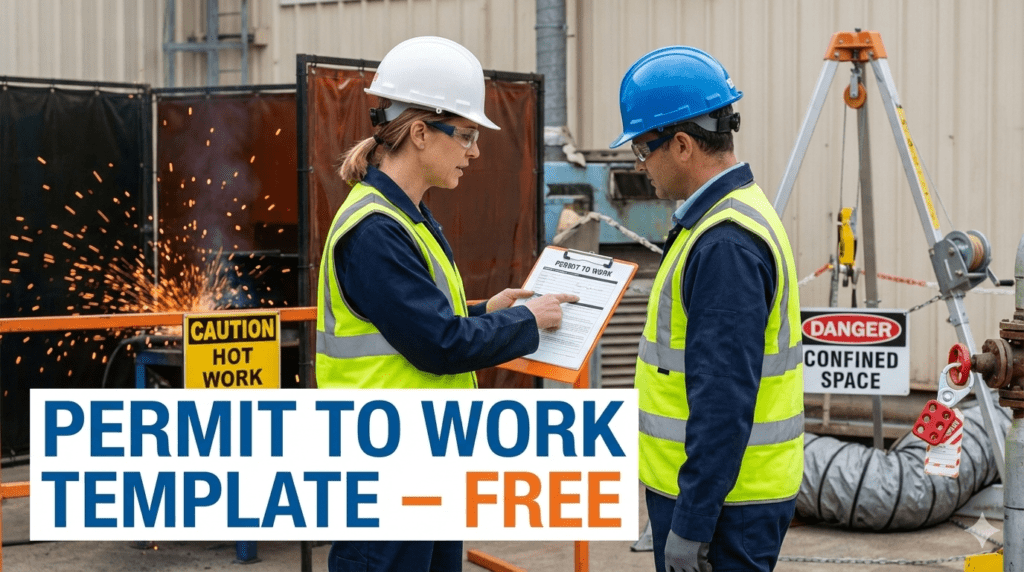
Permit to Work Template (Hot Work, Confined Space, etc.)
A Permit to Work (PTW) system is one of the most critical safety control tools used for managing high-risk activities at construction, industrial, oil & gas, shutdown, and maintenance sites. Many serious accidents occur not because hazards were unknown, but because work started without proper authorization and controls.
A Permit to Work ensures that:
- Hazards are identified before work starts
- Control measures are in place
- Responsibilities are clearly defined
- Work is authorized and monitored
- The work area is made safe after completion
To support Safety Officers and site teams, this article provides a professionally designed Permit to Work Template covering Hot Work, Confined Space, Work at Height, Electrical Work, Excavation, and Lifting Operations, available in editable PDF and Excel formats.
Download Permit to Work Templates (FREE)
- Fully editable
- Suitable for construction & industrial projects
- Accepted for audits and client submission
- Easy to print or fill digitally
What Is a Permit to Work (PTW)?
A Permit to Work is a formal written authorization that allows specific high-risk work to be carried out under defined safety conditions. It ensures that work does not begin until hazards are assessed and controls are implemented.
PTW is not a replacement for risk assessment — it is an additional layer of control.
Why a Permit to Work System Is Important
A proper PTW system helps to:
- Prevent serious accidents and fatalities
- Control non-routine and hazardous work
- Improve coordination between departments
- Ensure legal and client compliance
- Clarify responsibility and accountability
- Reduce incidents during shutdowns and maintenance
Many major industrial accidents occurred due to failure in permit control.
Types of Permits Covered in This Template
Hot Work Permit
Used for:
- Welding
- Cutting
- Grinding
- Gas torch operations
Controls include fire watch, fire extinguishers, gas testing, and spark containment.
Confined Space Entry Permit
Used for:
- Tanks
- Vessels
- Manholes
- Pits and silos
Controls include atmospheric testing, ventilation, standby man, rescue plan, and entry supervision.
Work at Height Permit
Used for:
- Scaffolding work
- Roof work
- Elevated platforms
Controls include fall protection systems, guardrails, and inspection of access equipment.
Electrical Work Permit
Used for:
- Live electrical work
- Panel maintenance
- Cable termination
Controls include isolation, lockout/tagout (LOTO), testing for dead, and authorized personnel only.
Excavation Permit
Used for:
- Trenching
- Ground breaking
- Underground services work
Controls include utility detection, shoring, barricading, and access/egress arrangements.
Lifting Operation Permit
Used for:
- Crane operations
- Heavy lifting
- Critical lifts
Controls include lifting plans, certified equipment, trained operators, and signalmen.
Sections Included in the Permit to Work Template
Project and Permit Information
Includes:
- Project/site name
- Location
- Permit number
- Date
- Issuing authority
Ensures traceability and control.
Type of Permit
Clearly identifies which type of high-risk work is authorized.
Job Details
Records:
- Description of work
- Exact work location
- Start and end time
This prevents misuse or extension of permits beyond scope.
Hazard Identification
Lists potential hazards such as:
- Fire and explosion
- Toxic atmosphere
- Falls from height
- Electrical shock
- Mechanical hazards
Control Measures
Confirms that:
- Isolation is completed
- Gas testing is done
- Fire watch is assigned
- Barricading and signage are in place
- PPE is provided
- Emergency arrangements are ready
This is the heart of the permit system.
Authorization
Includes signatures of:
- HSE representative
- Supervisor in charge
- Project or operations manager
Work must not start without authorization.
Permit Closure
Confirms that:
- Work is completed
- Area is inspected
- Site is made safe
- Permit is formally closed
This step is often missed but is extremely important.
How to Use This Permit to Work Template
- Identify the type of high-risk work
- Conduct risk assessment / JSA
- Complete the permit form
- Implement all control measures
- Obtain required approvals
- Display permit at worksite
- Monitor work continuously
- Close the permit after work completion
To help you create, customise, and automate permit to work documentation easily, try the Permit-to-Work Generator Tool and additional HSE templates.
Common Mistakes in Permit to Work Systems
- Issuing permits without site inspection
- Copy-paste permits without verification
- Not briefing workers on permit conditions
- Extending permits without revalidation
- Poor communication between shifts
- Not closing permits after work completion
Avoiding these mistakes saves lives.
Benefits of Using This Permit to Work Template
- Standardized permit format
- Covers multiple high-risk activities
- Improves compliance and control
- Saves time for Safety Officers
- Strengthens audit readiness
- Easy to customize for any project
Conclusion
A Permit to Work system is not paperwork—it is a life-saving control measure. When used correctly, it prevents unauthorized work, ensures hazards are controlled, and protects workers, equipment, and projects.
By using the free Permit to Work Template provided above, Safety Officers can strengthen site control, improve coordination, and significantly reduce the risk of serious accidents.
Safety starts with authorization—and PTW makes that possible.
Risk Assessment Template for Construction Projects
Daily Site Safety Report Template (Editable PDF/Excel)
How to Prepare a Risk Register for Construction Projects
Construction Site Risk Assessment: Key Hazards and Controls
Demolition Safety Checklist | Free Template
FAQs
Is this Permit to Work template free to use?
Yes, both PDF and Excel versions are completely free.
Can I use one template for different permits?
Yes, the template supports multiple permit types.
Is this suitable for audits?
Yes, it follows standard HSE and client requirements.
Can I add company logo and branding?
Absolutely. Both formats are editable.
Is PTW mandatory for all work?
No, only for high-risk and non-routine activities.
